
A clinic booking site, with patient accounts and an admin panel.
Doctor profiles, live time slots, online booking, patient sign-in and a back office for the clinic. A real Node server and database sit behind it, so you can rebrand it and go live.
- React 19
- Vite 7
- Node 22
- SQLite
- Zero server dependencies
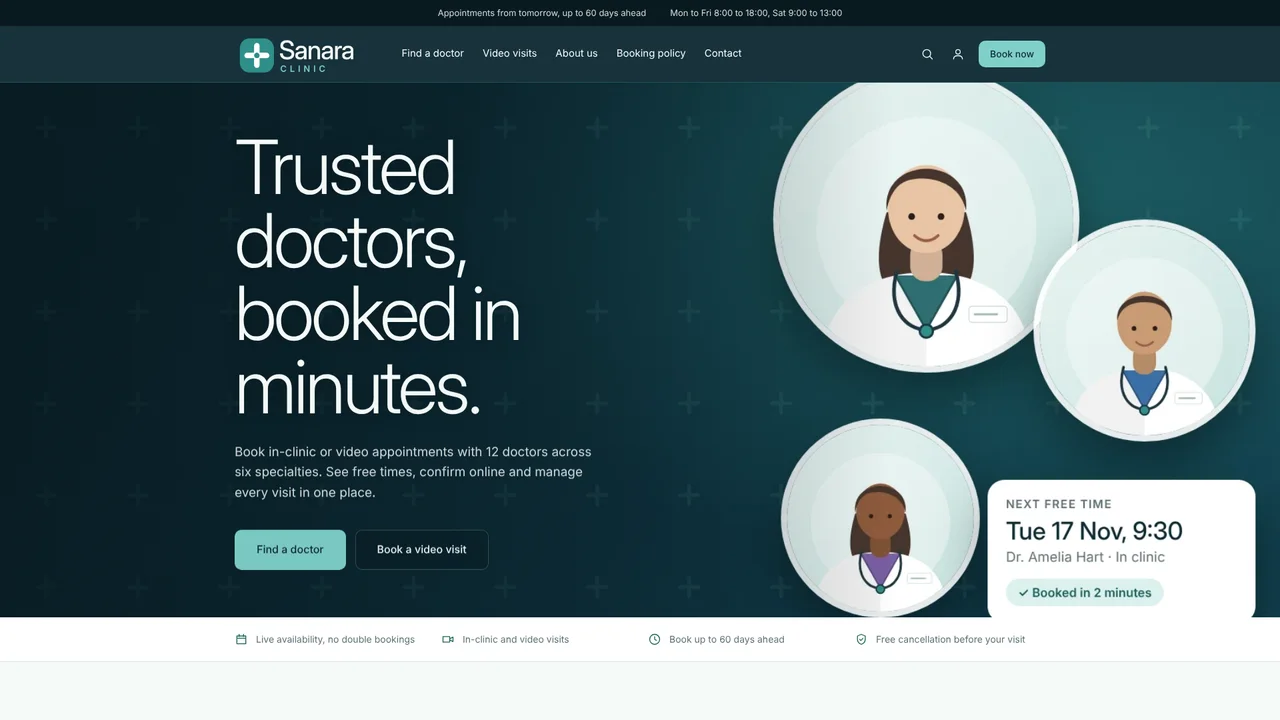
- 12demo doctors
- 2roles: patient and admin
- 24sample appointments
- 24API tests passing
- 0known npm vulnerabilities
Everything a clinic needs to take bookings online
Built like a real booking system, not a mock-up. Each feature works end to end.
Patient accounts
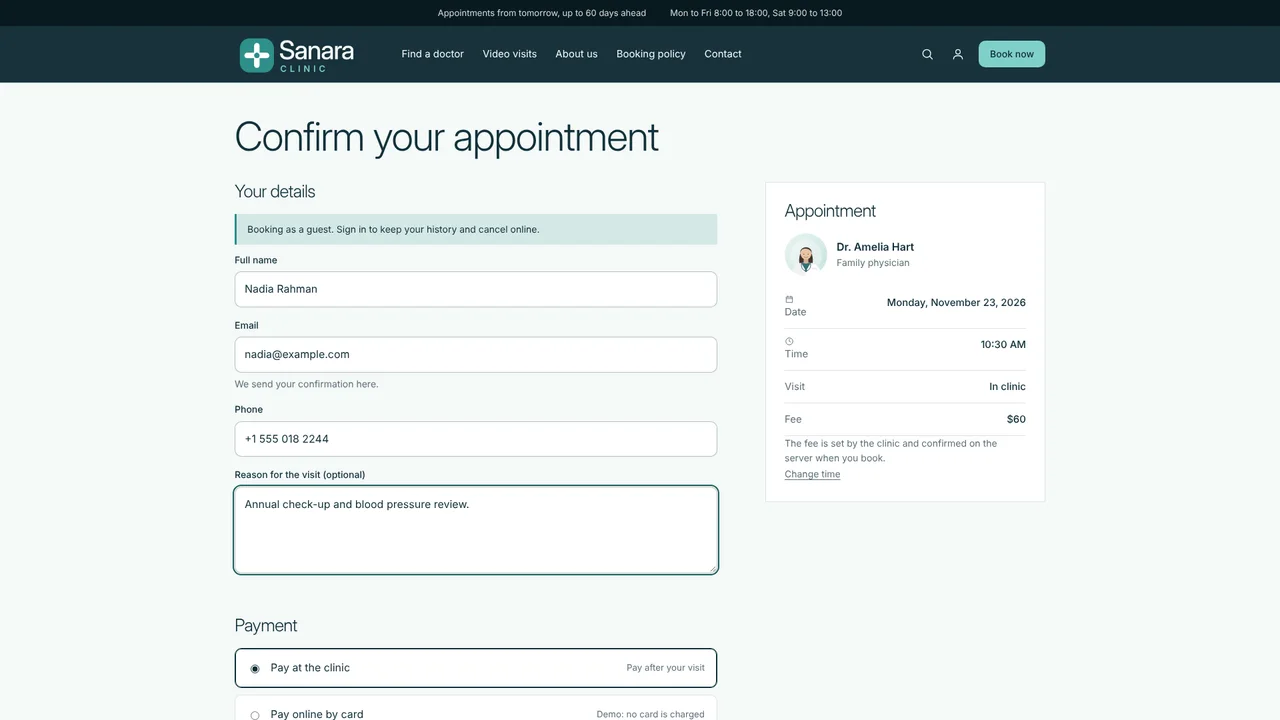
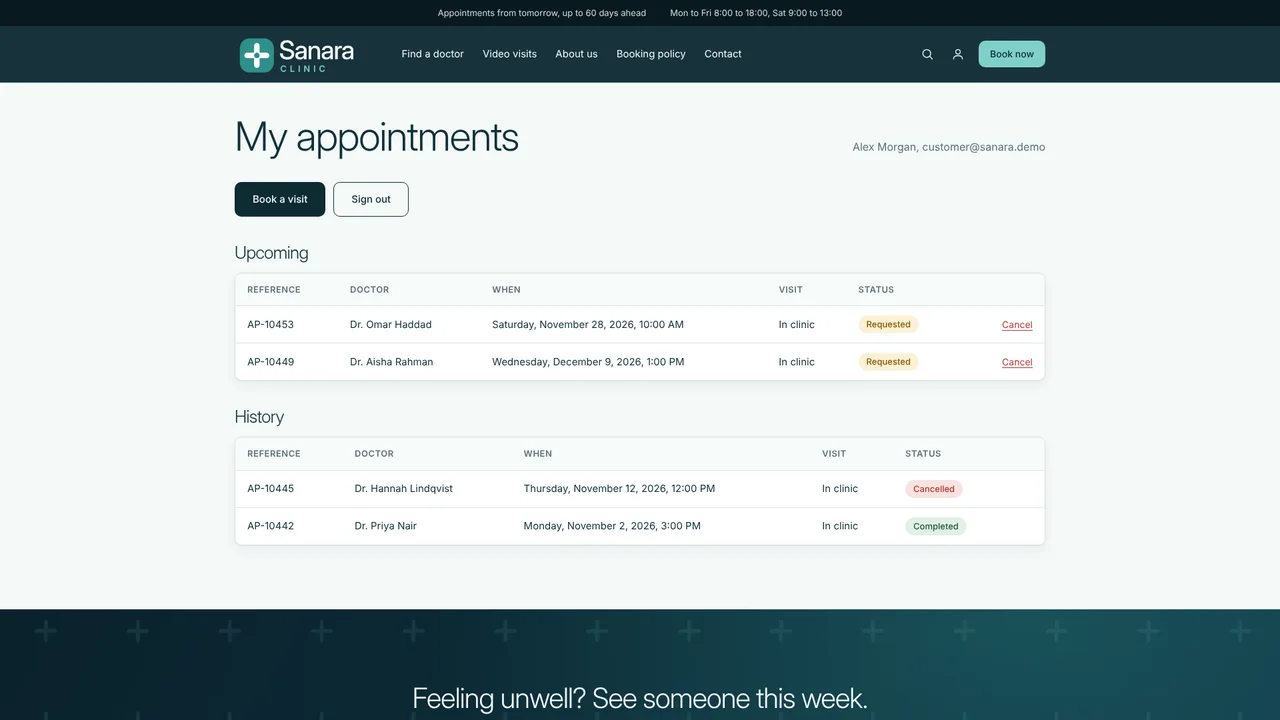
Register, sign in, see upcoming visits and history, and cancel online. Guests can still book and return through a private link.
Admin panel
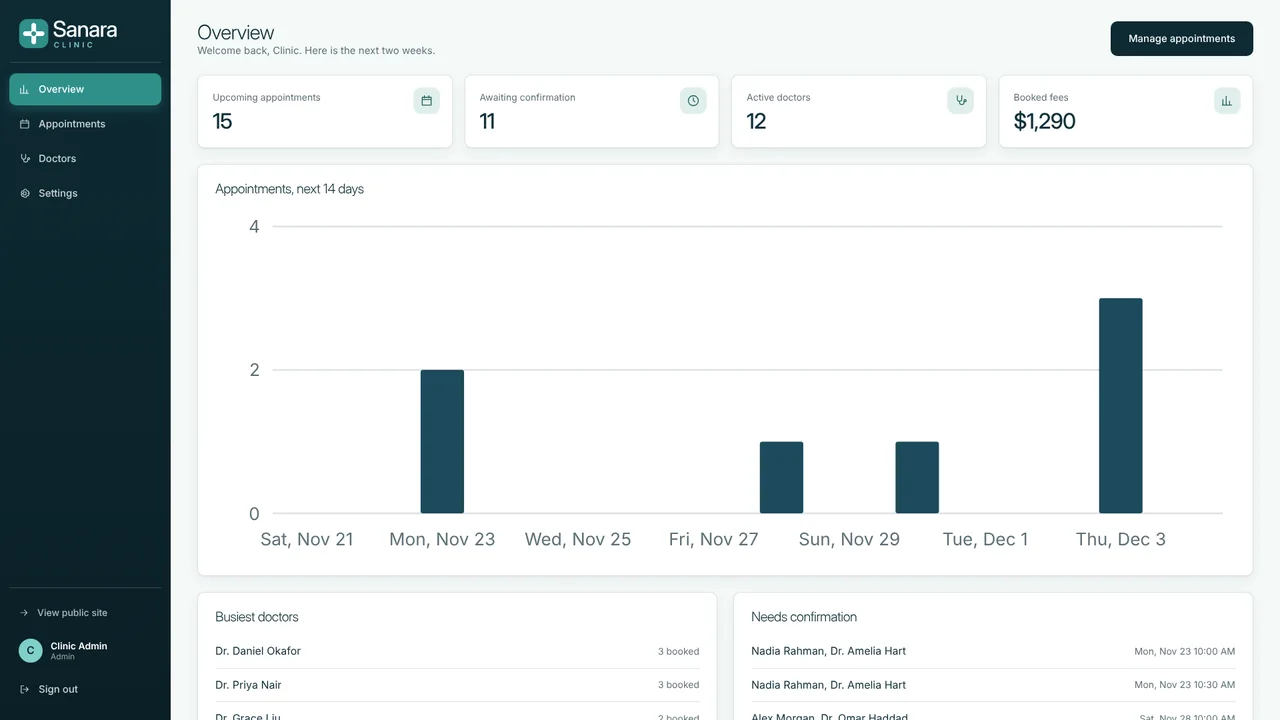
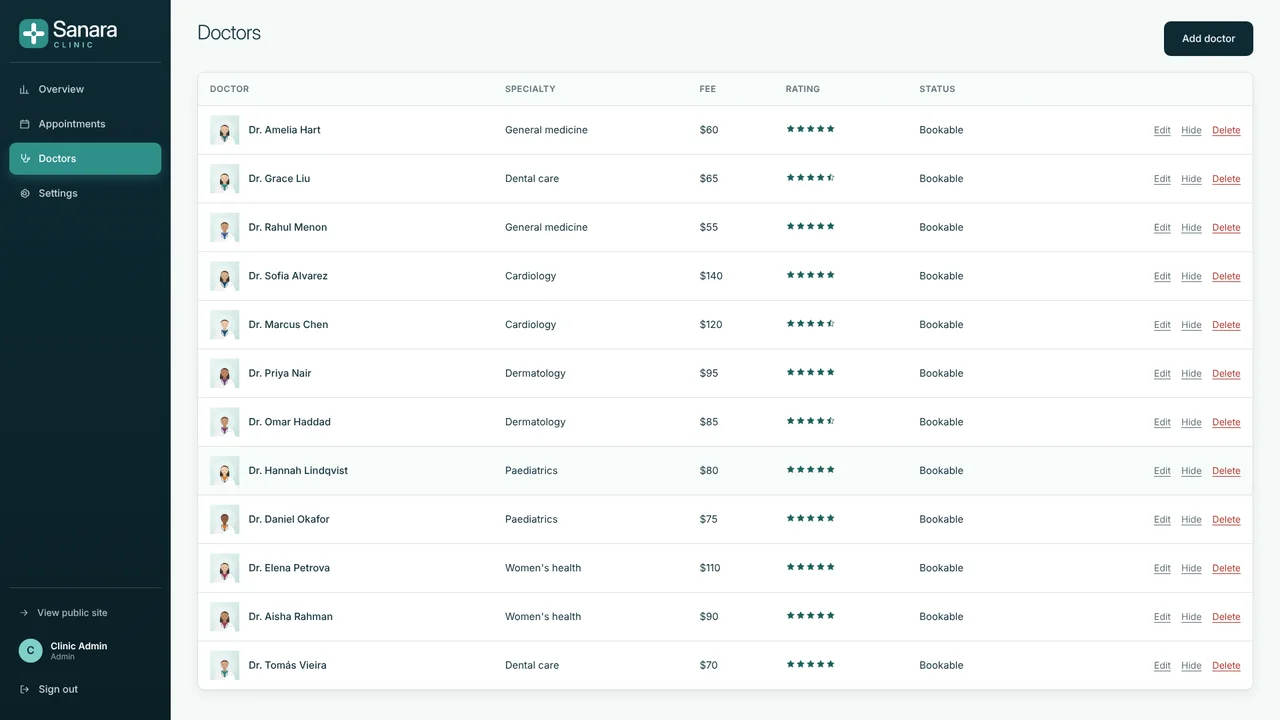
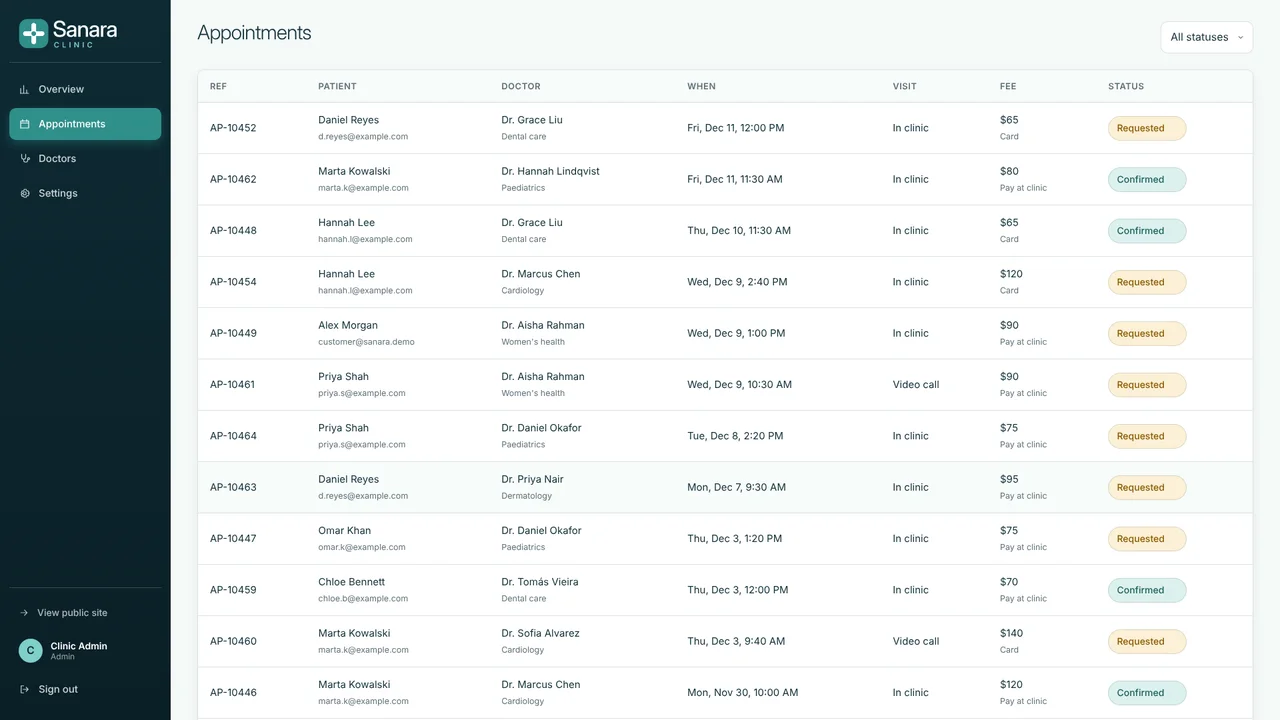
Appointment chart, confirmation queue, doctor editor with weekly hours and status updates, all behind a real admin login.
No double bookings
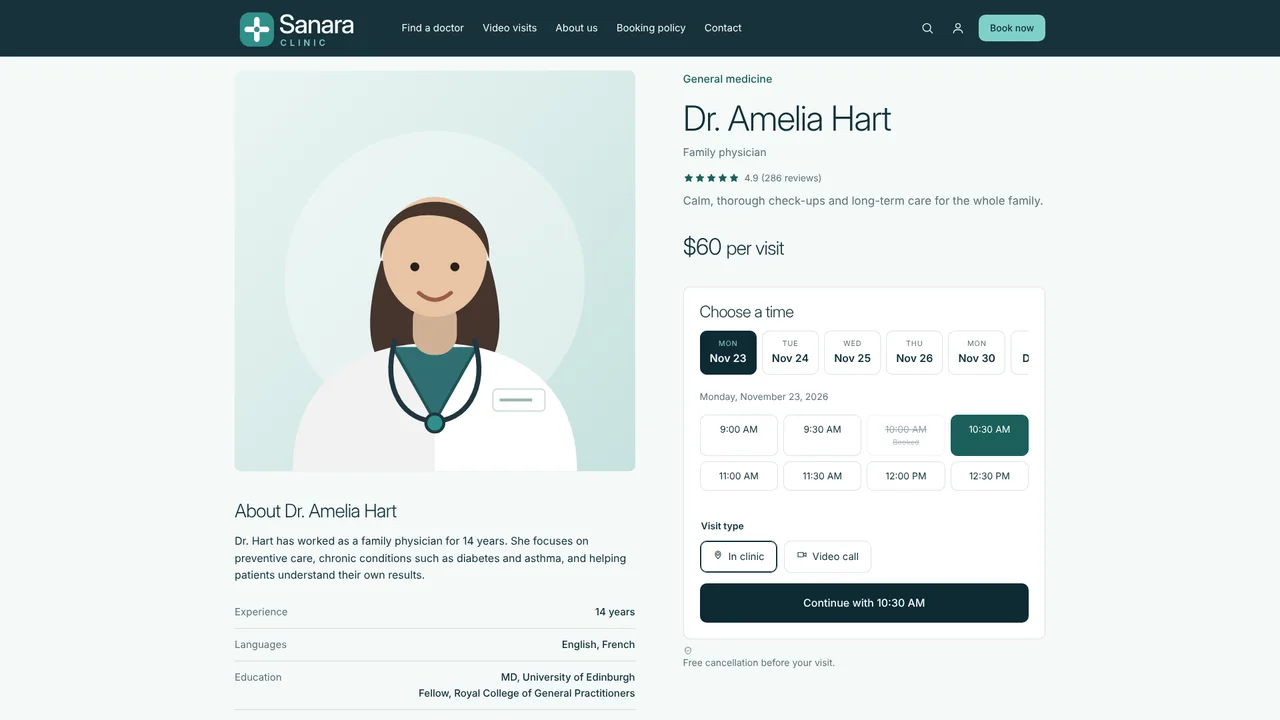
Free times come from each doctor's weekly schedule. The database refuses a second booking for the same slot, so two patients can never share one.
Real database
SQLite with a clean schema, indexes, constraints and seed data. Runs from one file, no database server to install.
Secure by default
Scrypt password hashing, HttpOnly cookies, CSRF checks, rate limits, security headers and a content security policy.
Deploy anywhere
Docker, a Node host, a plain VPS or Vercel. Server has zero npm dependencies, so installs are fast and audits are clean.
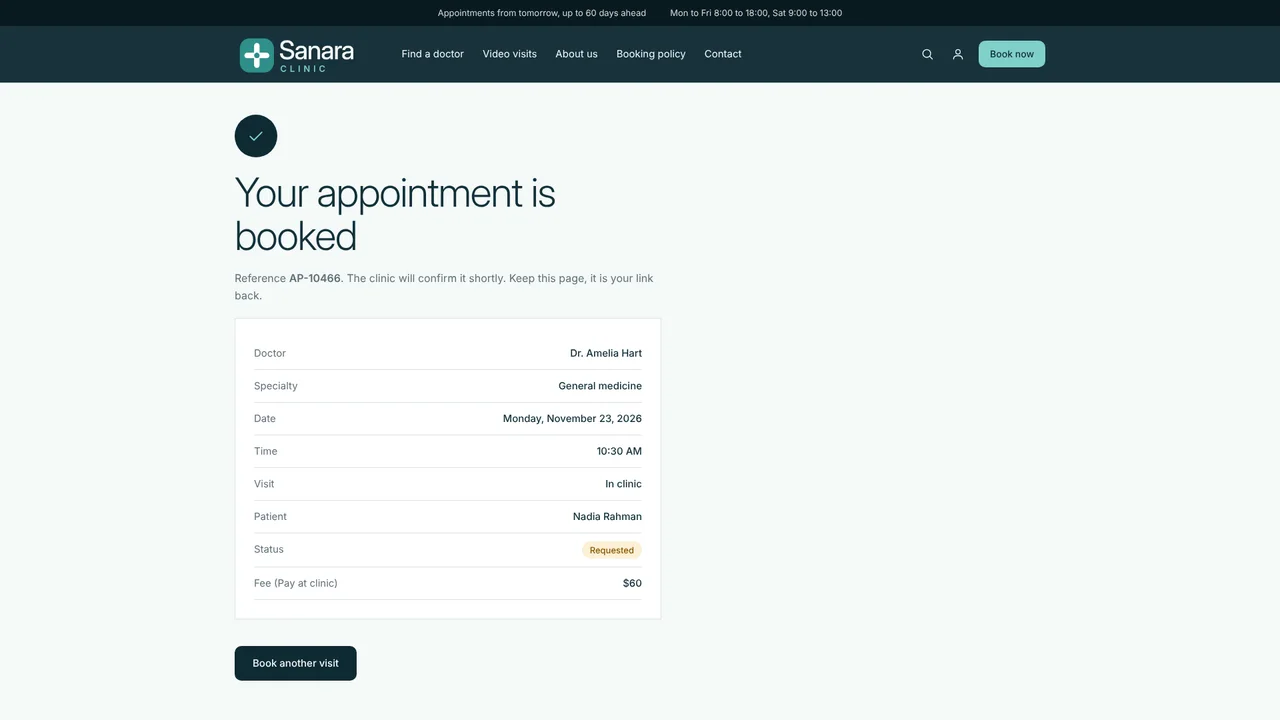
See the booking site and the back office
Every screen below is the running demo.
Why buyers choose it
Rebrand in minutes
Change the name, colours and doctor photos in a few files. The site, layout and the admin follow.
Read it, own it
Plain JavaScript, small files, no hidden framework. A CLAUDE.md guide makes AI coding tools productive straight away.
Tested and documented
API tests, an API reference, a database diagram, setup guide and customisation guide are all included.
Honest about demo data
Demo mode loads sample doctors and appointments. Switch one setting to start with an empty clinic and your own admin.
From finding a doctor to a confirmed visit
Patients book in three steps. The clinic team stays in control from the back office.
- 1
Find a doctor
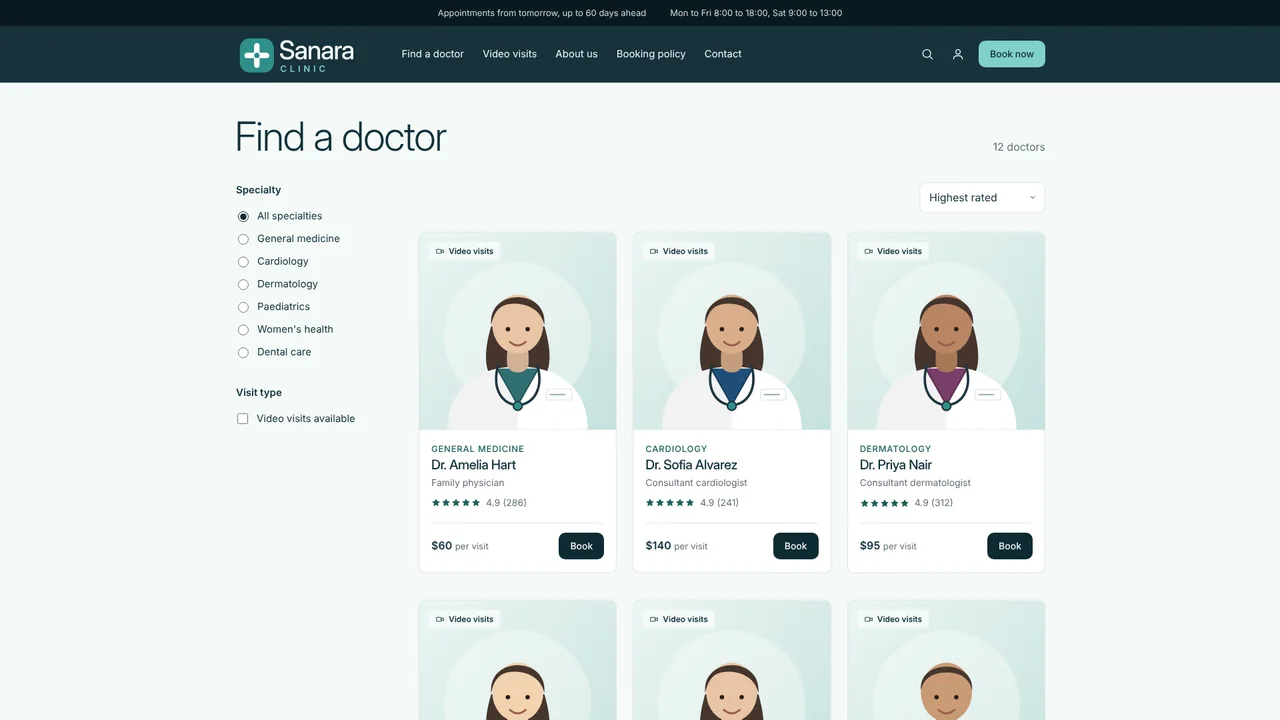
Filter by specialty, visit type and fee, then open a profile.
- 2
Pick a free time
Live slots come from the doctor's weekly hours. Taken times never show.
- 3
Book and get a reference
Guests get a private link. Patients with an account can cancel online.
- 4
Confirm in the admin
The sidebar dashboard lists new requests. Confirm, complete or cancel in a click.
See it running before you buy
The demo has two ready accounts. No sign-up, no card, nothing to install.
- Open the live demo, pick a doctor and book a free time as a patient.
- Open the sign-in page and press Sign in as Patient or Sign in as Admin.
- As admin, confirm appointments and edit doctors and their weekly hours.